

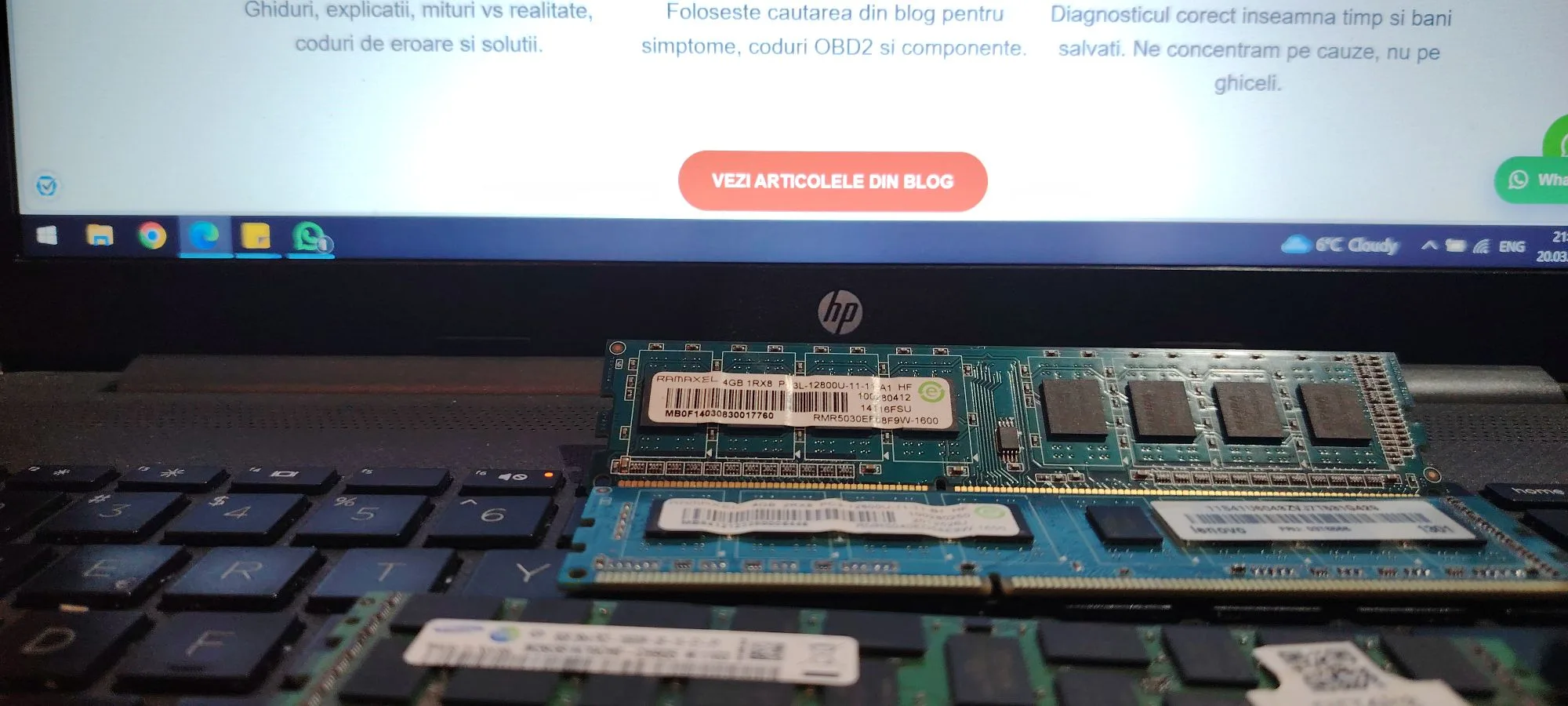
Choosing the right RAM (Random Access Memory) is one of the most important decisions when building or upgrading a PC. RAM directly affects system responsiveness, multitasking capability, and overall performance.
However, many users make the mistake of focusing only on capacity (GB), ignoring critical factors such as speed, latency, compatibility, and motherboard limitations.
This guide explains everything you need to know to choose the correct RAM for your system.
What RAM Actually Does
RAM is the temporary working memory of your computer. It stores data that the CPU needs to access quickly.
Unlike storage (SSD/HDD), RAM is much faster but volatile, meaning data is lost when the system powers off.
The more RAM you have, the more applications and processes your system can handle simultaneously.
Key Factors When Choosing RAM
1. Capacity (GB)
Capacity is the first and most important factor.
General recommendations:
- 8 GB → basic usage (office, browsing)
- 16 GB → standard for gaming and multitasking
- 32 GB → heavy workloads (editing, programming)
- 64 GB+ → professional use
For most users in 2026, 16 GB is the minimum recommended.
2. RAM Type (DDR Generation)
RAM comes in different generations:
- DDR3 (old systems)
- DDR4 (most common)
- DDR5 (new generation, higher performance)
Important:
👉 DDR types are not interchangeable
You must match your motherboard support.
3. Speed (MHz)
RAM speed determines how fast data is transferred.
Examples:
- DDR4: 2400 – 3600 MHz
- DDR5: 4800 – 7200+ MHz
Higher speed = better performance, especially in gaming and CPU-heavy tasks.
4. Latency (CL Timing)
Latency (CAS Latency) measures delay in accessing data.
Example:
- CL16 vs CL18
Lower is better.
Important:
👉 Balance speed + latency, not just MHz.
5. Dual Channel vs Single Channel
Using two RAM sticks instead of one improves performance.
Example:
- 1×16 GB → slower
- 2×8 GB → faster
Dual channel increases memory bandwidth significantly.
6. Compatibility with Motherboard
Always check:
- supported RAM type (DDR4/DDR5)
- maximum capacity
- supported speed
Motherboard limitations override RAM specifications.
7. Compatibility with CPU
Some CPUs limit RAM speed.
Example:
- budget CPUs → lower supported frequencies
- high-end CPUs → better RAM scaling
8. XMP / EXPO Profiles
Modern RAM supports automatic overclocking profiles:
- XMP (Intel)
- EXPO (AMD)
These allow RAM to run at advertised speeds.
Without enabling them, RAM runs slower by default.
Common Mistakes When Choosing RAM
Buying incompatible RAM
DDR4 will not work in DDR5 slots.
Ignoring motherboard limits
Even if RAM supports 3600 MHz, motherboard may limit it to 3200 MHz.
Using single stick
This reduces performance significantly.
Mixing different RAM kits
Different brands or speeds can cause instability.
Best RAM Configurations (2026)
Budget build
- 16 GB (2×8 GB) DDR4 3200 MHz
Mid-range build
- 16–32 GB DDR4 3600 MHz
High-end build
- 32 GB DDR5 5600–6400 MHz
Workstation
- 64 GB+ DDR5
How to Check What RAM You Need
Before buying:
- check motherboard model
- check CPU specs
- use tools like CPU-Z
- verify current RAM configuration
Installation Tips
- insert RAM firmly until it clicks
- use correct slots (A2/B2 usually)
- enable XMP/EXPO in BIOS
Conclusion
Choosing the right RAM is not just about capacity. You must consider compatibility, speed, latency, and configuration.
For most users, a balanced setup such as 16–32 GB in dual channel provides the best performance.
Proper selection ensures stability, speed, and long-term system efficiency.
FAQ – Choosing RAM
Is 16 GB enough in 2026
Yes, for most users, but 32 GB is better for future-proofing.
Does RAM speed matter
Yes, especially for gaming and modern CPUs.
Can I mix RAM brands
Not recommended due to stability issues.
Is DDR5 worth it
Yes, for new systems, but DDR4 is still viable.
Below are some recommended RAM options based on performance and budget.
Recommended High-Capacity RAM (Laptop)
If you need serious multitasking performance or work with demanding applications, upgrading to a high-capacity RAM kit is essential.
A reliable option is:
👉 A-Tech 64GB (2x32GB) DDR4 3200MHz SODIMM
This kit is ideal for:
- heavy multitasking
- virtualization and development environments
- video editing and rendering
- professional workloads
It offers stable performance, dual-channel support, and enough memory capacity to handle even the most demanding tasks.
👉 Check availability on Amazon
Best Budget RAM Option (Desktop PC)
For most users, 16GB of RAM provides the best balance between performance and price, especially for everyday use, office work, and entry-level gaming.
A solid and affordable choice is:
👉 A-Tech 16GB DDR4 2666 MHz UDIMM
Why this is a great option:
- ideal for daily tasks and multitasking
- stable and reliable performance
- compatible with most DDR4 desktop systems
- excellent value for budget builds
This type of upgrade is one of the most cost-effective ways to improve overall system responsiveness.
✍️ Author: Bejenaru Alexandru Ionut – [email protected]
🔗 Internal link: https://diagnozabam.ro/sfaturi

