
What Are BIOS Beep Codes
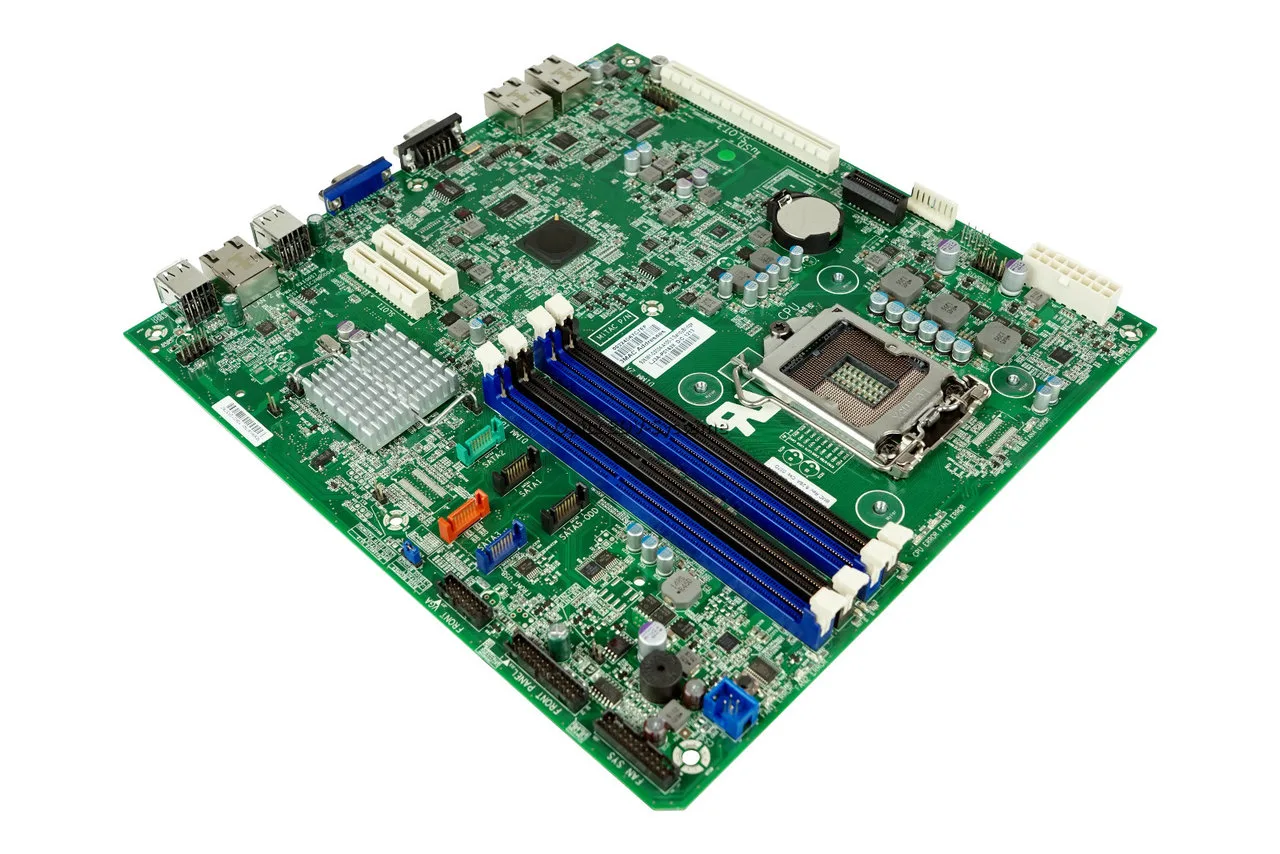
BIOS beep codes are audio signals generated by the motherboard during the system startup process, specifically during POST (Power-On Self Test). These signals are used to indicate hardware errors when the system cannot display information on the monitor.
When a critical component fails or is not detected, the BIOS uses a sequence of beeps to communicate the issue. This is especially useful when there is no video output, making traditional on-screen error messages unavailable.
Each BIOS manufacturer uses its own beep code system, which means interpretation depends on the BIOS type installed on the motherboard.
The most common BIOS types are:
-
AMI (American Megatrends)
-
Award
-
Phoenix
Understanding these codes is essential for fast and accurate hardware troubleshooting.
Why Beep Codes Occur During Startup
During the POST process, the system checks all essential hardware components required for booting. If a problem is detected, the BIOS interrupts the startup sequence and emits a beep code.
Common causes include:
-
faulty or improperly installed RAM
-
GPU (graphics card) issues
-
CPU malfunction or incompatibility
-
motherboard failure
In many cases, beep codes are the only diagnostic method available when the system fails to boot properly.
AMI BIOS Beep Codes
AMI BIOS is one of the most widely used systems and provides a clear beep code structure based on the number of beeps.
Full AMI BIOS Beep Code List
-
2 beeps: RAM parity error
-
3 beeps: base 64 KB memory failure
-
4 beeps: system timer failure or RAM issue
-
5 beeps: CPU error
-
6 beeps: keyboard controller (Gate A20) error
-
7 beeps: general motherboard or CPU exception
-
9 beeps: corrupted BIOS ROM
-
10 beeps: CMOS read/write error
-
11 beeps: cache memory error
Practical Interpretation
In real-world diagnostics, the most common AMI codes are:
-
3 beeps → defective RAM
-
4 beeps → RAM or motherboard issue
-
8 beeps → GPU failure
Memory-related issues are by far the most frequent and should always be checked first.
Award BIOS Beep Codes
Award BIOS uses a combination of short and long beeps rather than counting sequences.
Common Award BIOS Codes
-
1 short beep: system OK
-
continuous beeping: RAM problem
-
1 long + 2 short beeps: GPU error
-
1 long + 3 short beeps: video memory issue
-
rapid continuous beeps: power supply or motherboard issue
Practical Interpretation
Continuous beeping is typically associated with RAM problems. This could mean:
The combination of 1 long and 2 short beeps is a classic indicator of GPU failure.
Phoenix BIOS Beep Codes
Phoenix BIOS uses a more advanced system based on beep sequences separated into groups (for example: 1-2-2).
Common Phoenix BIOS Codes
General System Errors
-
1-1-3: CMOS read/write failure
-
1-1-4: BIOS ROM corruption
-
1-2-1: system timer failure
-
1-2-2: DMA controller failure
-
1-2-3: DMA register error
Memory Errors
Video Errors
Practical Interpretation
Phoenix BIOS codes are more precise but less commonly encountered. Most codes starting with 1-3 indicate RAM-related issues.
Most Common Beep Codes in Practice
In real-world troubleshooting, a few beep patterns account for most issues:
-
continuous beep → RAM problem
-
3 beeps → RAM failure
-
4 beeps → RAM or motherboard issue
-
1 long + 2 short → GPU problem
-
no beep → serious hardware failure (PSU, motherboard, or CPU)
These patterns cover the majority of cases encountered in PC repair.
How to Diagnose the Problem Step by Step
A structured diagnostic process can quickly identify the faulty component.
1. Check the RAM
Remove all RAM modules and clean the contacts. Test each module individually in different slots. This is the most effective first step.
2. Check the Graphics Card
Ensure the GPU is properly seated. If possible, test with another graphics card or switch to integrated graphics.
3. Reset the BIOS
Clear CMOS by removing the battery for a few minutes or using the motherboard jumper. This eliminates configuration-related errors.
4. Minimal Hardware Boot
Start the system with only essential components:
-
one RAM module
-
power supply
Disconnect all drives and peripherals.
When the Problem Is More Serious
If the system produces no beep and no display, the issue may involve:
-
motherboard damage
-
CPU malfunction
In such cases, component testing in another system is required.
Preventing Hardware Errors
Many beep code issues can be prevented through proper maintenance:
-
regular cleaning to remove dust
-
avoiding humidity exposure
-
ensuring stable power supply
-
using high-quality components
Dust buildup and poor electrical contact are among the most common causes of RAM and GPU issues.
Conclusion
BIOS beep codes are a fundamental diagnostic tool for identifying hardware issues when a system fails to boot.
Whether using AMI, Award, or Phoenix BIOS, understanding these codes allows for faster troubleshooting and more efficient repairs.
In most cases, the issue is related to RAM or the graphics card, making these components the first priority during diagnosis.
FAQ – BIOS Beep Codes
What do 4 beeps mean on startup
Typically indicates a RAM or motherboard issue, depending on BIOS type.
What does a continuous beep mean
Usually a RAM failure or improperly installed memory.
Can a PC run with beep errors
Some errors allow limited operation, but critical ones will prevent booting.
How can I identify my BIOS type
Check the motherboard model or access BIOS setup during startup (DEL or F2).
PC porneste si se opreste imediat: cauze si solutii complete
✍️ Author: Bejenaru Alexandru Ionut – [email protected]
🔗 Internal link: https://diagnozabam.ro/sfaturi

Recommendation: Looking for a professional bi-directional diagnostic tool with full system coverage? Use code DIAGNOZABAM for 10% off.
Transparency note: Affiliate link. Purchasing through it costs you nothing extra. View Thinkcar Deal →
