
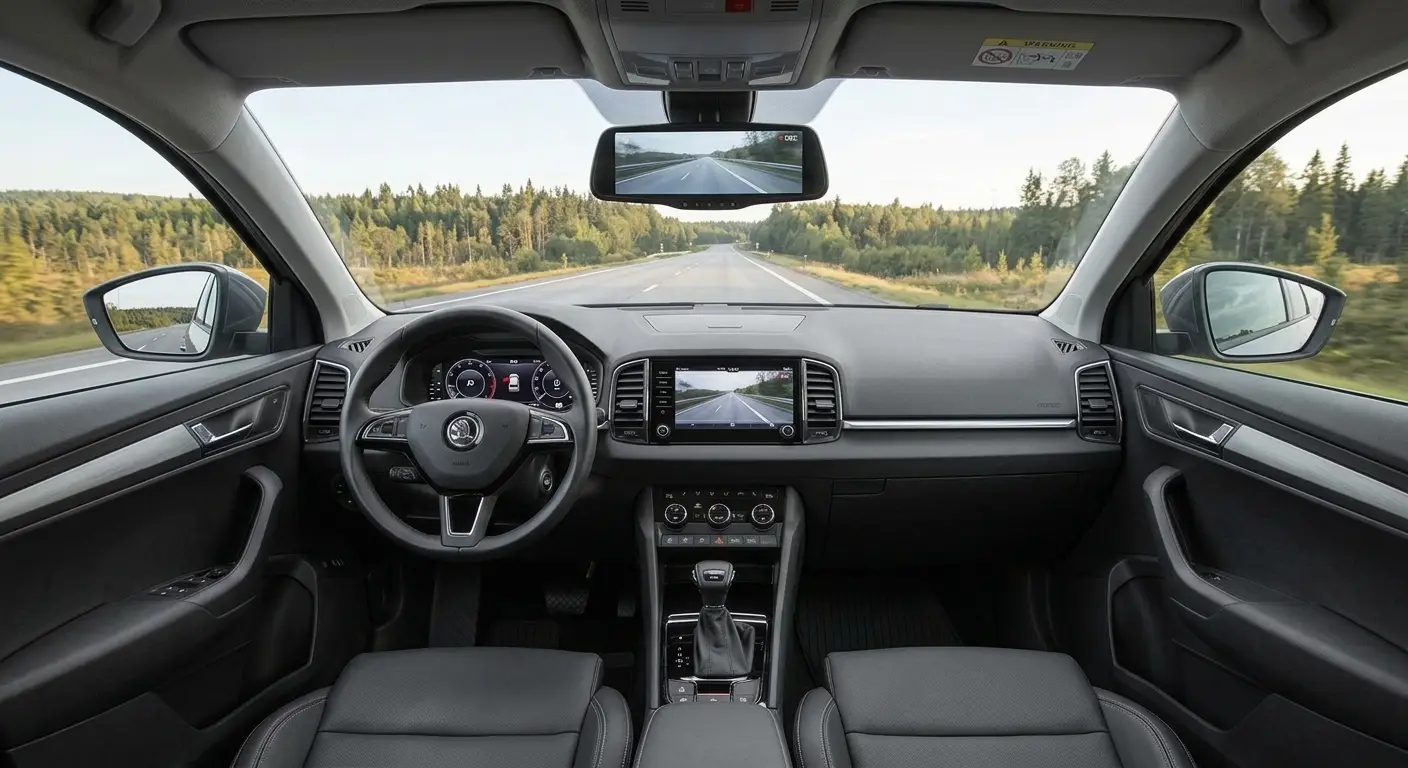
Dash Cam Installation: Complete Step-by-Step Guide Without Draining Your Battery or Blocking Airbags
You buy a dash cam in ten minutes. You install it badly in ten seconds. Then you have a cable hanging across the cabin and a battery that dies after two nights of parking.
A proper installation takes 30 to 60 minutes. It needs no special tools. It only needs you to know where to take power from and where the cable is allowed to run.
This guide covers exactly that. You will learn camera placement, power options, fuse tap wiring, and rear camera routing.
Tools and Parts You Need
Prepare everything before you open any panel. Otherwise you end up with a stripped dashboard and a missing part.
- Dash cam with its power cable
- Hardwire kit with a 12/24 V to 5 V converter
- Fuse tap (add-a-circuit) in the right format for your car
- Multimeter or a 12 V test light
- Plastic trim removal tools
- Cable clips and small zip ties
- Isopropyl alcohol and a microfiber cloth for cleaning the glass
- Ring terminals for the ground connection
ℹ️ Technical Note: Automotive fuses come in several formats. The most common are Mini (ATM), Low-profile Mini and Micro2. Pull one fuse and compare it before you buy the fuse tap. A wrong format will not fit the socket.
Where to Mount the Camera on the Windshield
The location matters more than most people think. A bad position ruins the image and can block your view.
The rules are simple:
- Mount the camera behind the rearview mirror, on the passenger side.
- Keep it out of the driver’s field of view. The camera must stay discreet.
- Pick an area covered by the wipers. In rain, the lens stays clear.
- Avoid the dark tinted band at the top and any rain sensor area.
- Do not cover the sensors or camera used by driver assistance systems.
Clean the glass with alcohol before sticking the mount. Let it dry completely. Press the adhesive mount for 30 seconds. If you can, wait an hour before driving.
⚠️ WARNING: Do not stick the mount on cold glass with cold hands. Adhesive does not bond below roughly 15°C. Warm the windshield slightly or install the camera in a garage.
The Three Power Options
This is where most mistakes happen. You have three serious options.
| Method | Advantages | Disadvantages |
|---|---|---|
| 12 V socket (cigarette lighter) | Fast, no tools, no wiring changes | Visible cable, blocks the socket, no parking mode |
| OBD port | Constant power, no fuse box work | Drains the battery, blocks the diagnostic port |
| Hardwire kit on fuses | Clean, hidden, allows parking mode | Takes a little more work |
The 12 V Socket
This is the easiest method. You plug in the adapter and run the cable along the windshield.
It works well if you do not need parking mode. The downside is that on many cars the socket switches off with the ignition. So the camera does not record while the car is parked.
Powering from the OBD Port
Some kits plug straight into the diagnostic port. They are quick, but I do not recommend them.
The OBD port is always live. A dash cam connected there draws current even while the car sleeps. On cars with a weak battery, this means a hard start in the morning. You also lose the port you need for diagnostics.
The Hardwire Kit on Fuses
This is the correct method for a permanent install. The kit clips into the fuse box. It takes power from two circuits and one ground point.
The converter drops the voltage to 5 V. More importantly, it shuts the camera off when battery voltage drops below a set limit. That protects your battery.
How Two-Circuit Power Works
A hardwire kit has three important wires:
   Battery (12V)
        |
   [Fuse box]
        |
   +----+------------------------+
   |                             |
 ACC wire (ignition-switched)  BATT wire (constant)
 turns the camera on/off       keeps parking mode alive
   |                             |
   +------------+----------------+
                |
         [Converter 12V -> 5V]
                |
           [Dash cam]

Ground wire -> bare metal bolt on the body- The ACC wire gets power only with the ignition on. The camera starts and stops with the car.
- The BATT wire gets constant power. It keeps the camera active while parked.
- The ground wire connects to a clean metal bolt on the car body.
Choosing the Right Fuses
You cannot tap into just any circuit. Choose safe circuits unrelated to passive safety.
For the ACC wire (ignition-switched), choose:
- the 12 V accessory socket
- the radio or infotainment system
- the rear wiper, on some models
For the BATT wire (constant), choose:
- the hazard lights
- the interior dome light
- the trunk 12 V socket, if it is always live
Never touch:
- airbags and seatbelt pretensioners
- ABS and ESP
- the engine control unit
- the fuel pump
⚠️ WARNING: A safety system circuit is no place for a dash cam wire. If you are unsure what a fuse protects, check the fuse diagram in the owner’s manual. Do not guess.
How to Find the Right Fuse
Test with a multimeter, not by appearance. The procedure is short:
- Connect the black probe to a metal ground point.
- Touch the red probe to a test point on top of the fuse.
- Turn the ignition on and off. Watch the voltage.
- An ACC fuse shows 12 V only with the ignition on.
- A BATT fuse shows 12 V at all times, even with the car off.
Test both sides of each fuse. This way you pick the side that carries power.
Installation Step by Step
Step 1: Remove the Key
Turn the car off. Take the key out and wait one minute. On keyless cars, keep the fob away from the cabin.
Step 2: Hide the Cable in the Headliner
Start next to the camera. Tuck the cable into the edge of the headliner, between the trim and the windshield. Use the plastic trim tool. Do not force it or break the clips.
Follow the windshield edge to the A-pillar on the passenger side.
Step 3: Run Down the A-Pillar
Here the real risk appears. The A-pillar often hides a curtain airbag. A loose cable can interfere with its deployment.
- Never run the cable across a zone marked “AIRBAG”.
- Secure the cable with clips so it does not hang loose.
- Keep the cable along the door weatherstrip, not on the trim surface.
- Do not leave loops that something could catch on.
ℹ️ Technical Note: If you are unsure about the routing, check the manual or ask a workshop. A badly secured cable near an airbag is an unnecessary risk for a camera that costs little.
Step 4: Go Under the Dashboard
From the pillar, drop down under the dash. Hide the cable behind the plastic cover. Pass it near the pedals, but not too close. Secure it firmly with zip ties, away from the pedal mechanisms.
Step 5: Connect in the Fuse Box
Open the fuse box cover. It is usually under the dash near the steering wheel, or inside the glovebox area.
- Pull the fuse you chose for the ACC wire.
- Place it in the fuse tap, in the marked slot.
- Plug the fuse tap into the socket.
- Repeat the same process for the BATT wire.
- Check that the test light works correctly on each fuse tap.
Mind the polarity. Reversed polarity will not power the camera and can blow a fuse.
Step 6: Connect the Ground Wire
Find a bare metal bolt tied to the car body. You usually find one near the fuse box or beside the clutch pedal.
Loosen the bolt. Place the ring terminal of the wire on it. Tighten it back.
Never ground to a painted surface or to plastic. A poor contact causes random reboots and noisy video.
Step 7: Test Before You Close Everything
Turn the ignition on. The camera must start. Turn the ignition off and check parking mode. Only after the test do you put the panels back.
Many newer cars monitor idle current draw. If battery warnings appear after the install, read the fault codes. A bidirectional scanner like the THINKCAR THINKSCAN 689BT shows battery voltage and stored faults. That way you know whether the wiring disturbed anything.
Installing a Rear Camera
The rear camera has a long cable. That is why the install takes more patience.
- Start from the front camera, under the headliner edge.
- Run the cable along the door weatherstrip on either side.
- Remove the trunk trim or the rear window trim.
- On a hatchback, pass the cable through the rubber boot between the body and tailgate.
- On a sedan, go under the rear parcel shelf.
- Mount the camera high on the rear window, lens facing out.
Leave a little slack in the cable at the hinge area. Otherwise, opening the tailgate stretches the cable and breaks it over time.
If the rear camera has its own power wire, you can tie it to the reverse light. Then the camera only runs when you reverse. If you do not need that, power through the main cable is simpler.
Important Settings After Installation
The install is only half the job. The settings decide whether your setup actually protects you.
- Voltage cut-off: set 12.0 V to 12.4 V. Below that value, the camera shuts off.
- Parking mode: choose impact detection or time-lapse recording.
- microSD card: use a high endurance card. Standard cards fail quickly.
- Date and time: set them correctly. A recording without a correct timestamp loses value.
- Card formatting: do it from the camera, every 1 to 2 months.
On cars with an old battery, set the cut-off higher. A weak battery does not last as long.
Common Problems and How to Fix Them
| Problem | Likely cause | Fix |
|---|---|---|
| Camera does not start | Wrong fuse or reversed polarity | Test with a multimeter and flip the fuse tap |
| Camera reboots by itself | Poor ground | Clean the contact and tighten the bolt |
| Battery drains | Cut-off voltage too low | Raise the cut-off setting |
| Lines in the image | Interference from the cable | Move the cable away from other wiring |
| Fuse keeps blowing | Wrong fuse tap | Check amperage and fuse type |
Legal Note
Dash cams are generally allowed across Europe. Rules on recording and sharing footage differ by country, so check your local regulations. In every case, the camera must not limit your view of the road. That is why you mount it behind the mirror.
Think about the data too. Do not publish footage of identifiable people without a reason. Keep recordings for real situations such as accidents or disputes.
Frequently Asked Questions (FAQ)
Can I install a dash cam myself?
Yes. A 12 V socket install needs no special tools. A hardwire kit needs a multimeter and some patience. If you do not feel safe around airbags, go to a professional.
How long does the installation take?
A 12 V socket install takes 10 to 15 minutes. A hardwire install with one camera takes 30 to 60 minutes. With a rear camera, plan for 1 to 2 hours.
Will a dash cam drain my car battery?
Only if it is installed without a voltage cut-off. A hardwire kit with cut-off shuts the camera off before the battery drops to a dangerous level. Without it, a weak battery can drain in a few nights.
Which fuse should I use for a dash cam?
Use a fuse tap with a 5 A fuse for the camera circuit. Choose only non-critical circuits, such as the 12 V socket. Never touch airbag, ABS or engine circuits.
Can I power the camera from the OBD port?
Technically yes. In practice it is not recommended. The OBD port is always live, so the camera drains the battery constantly. It also blocks your diagnostic port.
Where do I stick the dash cam on the windshield?
Behind the rearview mirror, on the passenger side. Pick an area covered by the wipers and free of sensors. Do not block the driver’s view.
How do I hide the cables without interfering with airbags?
Run the cable along the headliner edge and the door weatherstrip. Never place it over a zone marked “AIRBAG” on the A-pillar. Secure it with clips so it never hangs loose.
Do I need a special memory card?
Yes. Choose a “high endurance” microSD card. Standard cards cannot handle continuous writing and fail quickly.
✍️ Author: Bejenaru Alexandru Ionut – [email protected]

Recommendation: Looking for a professional bi-directional diagnostic tool with full system coverage? Use code DIAGNOZABAM for 10% off.
Transparency note: Affiliate link. Purchasing through it costs you nothing extra. View Thinkcar Deal →