
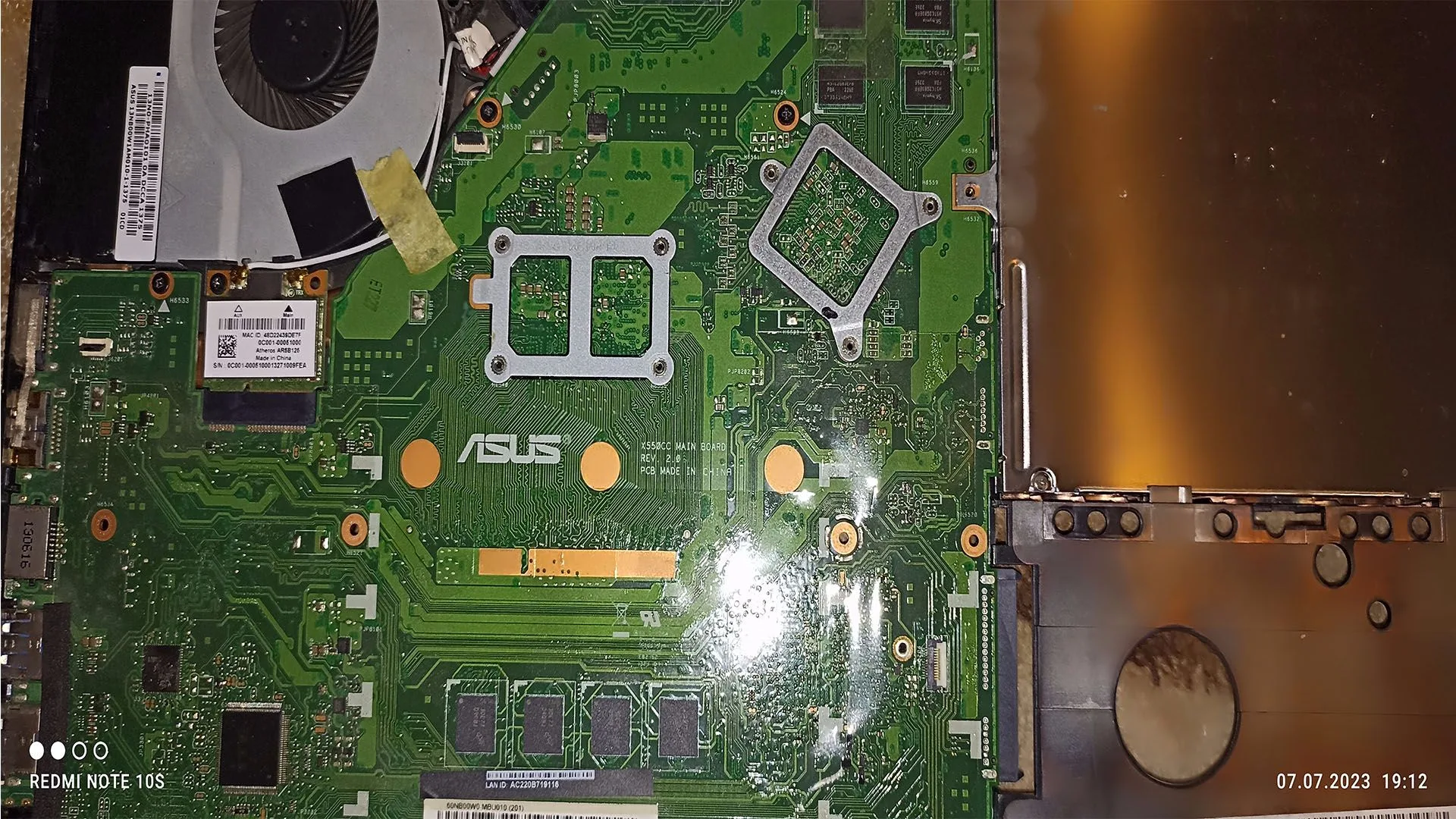
What Does 3 Beeps on PC Startup Mean
3 beeps on PC startup is a hardware-level warning generated during the POST (Power-On Self-Test) process. When your computer powers on, the BIOS or UEFI firmware runs a series of checks to verify that critical components like RAM, CPU, and motherboard are functioning correctly.
If something fails before the system can display an error on screen, the motherboard uses beep codes through the internal speaker to signal the issue.
In most modern systems, 3 beeps typically indicate a RAM-related problem, such as:
- faulty memory module
- improperly seated RAM
- memory slot failure
- memory initialization error
However, the exact meaning may vary depending on BIOS manufacturer (AMI, Award, Phoenix), but RAM remains the primary suspect in over 80% of cases.
Why the PC Beeps Instead of Showing an Error
When a system cannot initialize video output, it cannot display errors on the monitor. This usually happens when:
- RAM fails to initialize
- CPU cannot communicate with memory
- motherboard fails early in POST
In this stage, the only available communication method is audio signals (beep codes).
That’s why hearing 3 beeps with a black screen is a strong indicator of a low-level hardware failure.
Common Causes of 3 Beeps on PC Startup
1. Improperly Seated RAM
One of the most frequent causes is simple: the RAM is not fully inserted.
This can happen after:
- cleaning the PC
- moving the case
- installing new components
- transport vibrations
Even a slightly loose module can break contact.
2. Faulty RAM Module
RAM can fail over time due to:
- electrical wear
- overheating
- manufacturing defects
- unstable voltages
A defective stick may cause:
- random crashes
- blue screens (BSOD)
- system freezes
- eventually, complete boot failure with beep codes
3. Dirty or Oxidized RAM Slots
Dust and oxidation can prevent proper electrical contact.
This is common in:
- older systems
- dusty environments
- PCs that were unused for long periods
Even a thin layer of dust can disrupt signal integrity.
4. RAM Compatibility Issues
Not all RAM modules work properly with every motherboard.
Problems may occur due to:
- unsupported frequency
- incorrect voltage
- mismatched timings
- mixing different RAM brands or capacities
In some cases, the system may boot intermittently before failing completely.
5. BIOS Configuration Errors
Incorrect BIOS settings can prevent RAM initialization.
Typical triggers:
- aggressive XMP profiles
- manual overclocking
- incorrect voltage settings
- corrupted BIOS state
A failed memory training process often results in beep codes.
6. Motherboard Memory Slot Failure
If the RAM is functional but the system still produces 3 beeps, the issue may lie in the motherboard.
Possible causes:
- damaged DIMM slots
- broken traces on PCB
- faulty memory controller pathways
7. CPU Memory Controller Issues
Modern CPUs integrate the memory controller. This means RAM errors may actually originate from:
- CPU defects
- bent socket pins (Intel platforms)
- improper cooler mounting pressure
This is less common, but possible.
How to Diagnose 3 Beeps on PC Startup
You don’t need advanced tools to start diagnosing the issue.
Step 1: Power Off Completely
- unplug the system
- hold the power button for a few seconds
- discharge residual electricity
Step 2: Reseat the RAM
- remove all RAM modules
- inspect for dust or damage
- reinstall one module firmly
Make sure you hear the locking clips click into place.
Step 3: Test One Stick at a Time
If you have multiple RAM sticks:
- test each one individually
- use the recommended slot (usually A2)
This helps isolate a faulty module.
Step 4: Change RAM Slots
Move the same RAM stick across different slots.
If it works in one slot but not another, the motherboard slot may be defective.
Step 5: Clear CMOS
Reset BIOS to factory settings by:
- removing the CMOS battery (5–10 minutes)
- using CLR_CMOS jumper
This eliminates configuration-related issues.
Step 6: Inspect the Motherboard
Check for:
- dust buildup
- burned areas
- damaged slots
- bent CPU pins
How to Fix 3 Beeps on Startup
Depending on the root cause, solutions include:
- reseating RAM modules
- replacing faulty RAM
- cleaning RAM slots
- resetting BIOS settings
- updating BIOS (if system can POST)
- replacing motherboard (in severe cases)
In most real-world scenarios, fixing or replacing RAM solves the issue.
When the Problem Is Serious
You should consider deeper hardware issues if:
- the PC never displays anything
- all RAM tests fail
- system restarts continuously
- different beep codes appear randomly
- visible hardware damage is present
This may indicate motherboard or CPU failure.
What NOT to Do
Avoid these common mistakes:
- forcing RAM into slots
- mixing incompatible RAM randomly
- updating BIOS blindly
- replacing multiple components at once without testing
- ignoring early warning signs like crashes
Conclusion
3 beeps on PC startup is one of the most common hardware warning signals and is usually linked to memory issues.
The good news is that:
- it is easy to diagnose
- often inexpensive to fix
- rarely requires advanced tools
By following a structured troubleshooting approach, you can quickly identify whether the problem is caused by RAM, motherboard, or configuration.
✍️ Author: Bejenaru Alexandru Ionut – [email protected]

Recommendation: Looking for a professional bi-directional diagnostic tool with full system coverage? Use code DIAGNOZABAM for 10% off.
Transparency note: Affiliate link. Purchasing through it costs you nothing extra. View Thinkcar Deal →