
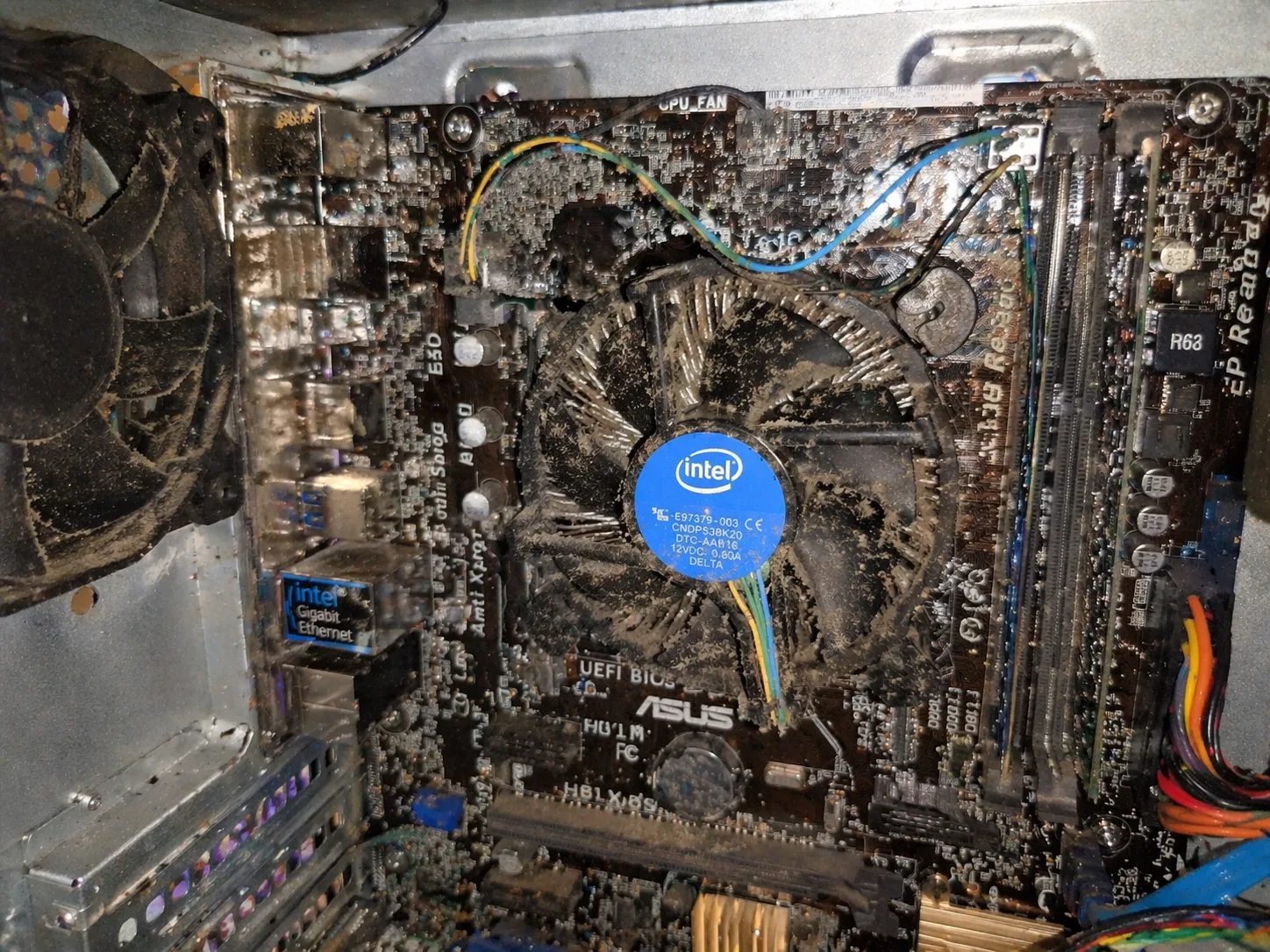
CPU overheating is one of the most common hardware problems and can lead to serious system instability or permanent damage.
Users may notice:
- high temperatures
- loud fans
- sudden shutdowns
- performance drops
This issue can appear:
- during gaming
- under load
- even in idle (in severe cases)
This guide explains exactly why CPU overheating happens and how to fix it properly.
What Is CPU Overheating
CPU overheating occurs when:
The processor temperature exceeds safe operating limits.
Typical safe ranges:
- idle: 30–50°C
- load: 60–85°C
- critical: 90°C+
Above critical levels, the system will:
- throttle performance
- shut down to prevent damage
Most Common Causes
1. Dust Build-Up
Dust blocks airflow and cooling efficiency.
2. Poor Thermal Paste Application
Thermal paste transfers heat from CPU to cooler.
Issues:
- dried paste
- too little or too much paste
3. Faulty or Weak CPU Cooler
- failing fan
- low-quality cooler
4. Improper Cooler Installation
- uneven pressure
- loose mounting
5. Poor Airflow in Case
- no intake/exhaust balance
- blocked vents
6. Overclocking
Higher voltage = more heat.
7. High Ambient Temperature
Hot environment increases CPU temperature.
Key Symptoms
- high CPU temperatures
- system lag or slowdown
- sudden shutdowns
- loud fan noise
- thermal throttling
Step-by-Step Diagnosis
Step 1: Monitor Temperatures
Use tools:
- HWMonitor
- CoreTemp
Step 2: Check CPU Cooler
- verify fan spins
- check mounting
Step 3: Inspect Thermal Paste
- replace if dried
Step 4: Clean Dust
- clean fans and heatsinks
Step 5: Improve Airflow
- add case fans
- organize cables
Step 6: Remove Overclock
Return CPU to default settings.
Step 7: Check Case Ventilation
Ensure proper airflow path.
Advanced Causes
VRM Overheating
Motherboard power delivery heat.
Pump Failure (Liquid Cooling)
AIO coolers may fail silently.
BIOS Voltage Settings
Incorrect voltages increase heat.
How to Fix CPU Overheating
- clean system
- replace thermal paste
- upgrade CPU cooler
- improve airflow
- remove overclock
- adjust BIOS settings
How Serious Is This Problem
Severity: High
- can damage CPU
- can cause system shutdowns
- affects performance
FAQ
What temperature is too high for CPU?
Above 90°C is critical.
Can overheating shut down PC?
Yes, for protection.
How often should I change thermal paste?
Every 2–3 years.
Can dust alone cause overheating?
Yes, very commonly.
Conclusion
The cpu overheating issue is one of the most common and preventable PC problems.
Proper cooling, maintenance and airflow ensure:
- stable performance
- longer component lifespan
- reduced risk of shutdowns
Regular maintenance is key to avoiding overheating issues.
✍️ Author: Bejenaru Alexandru Ionut – [email protected]

Recommendation: Looking for a professional bi-directional diagnostic tool with full system coverage? Use code DIAGNOZABAM for 10% off.
Transparency note: Affiliate link. Purchasing through it costs you nothing extra. View Thinkcar Deal →