
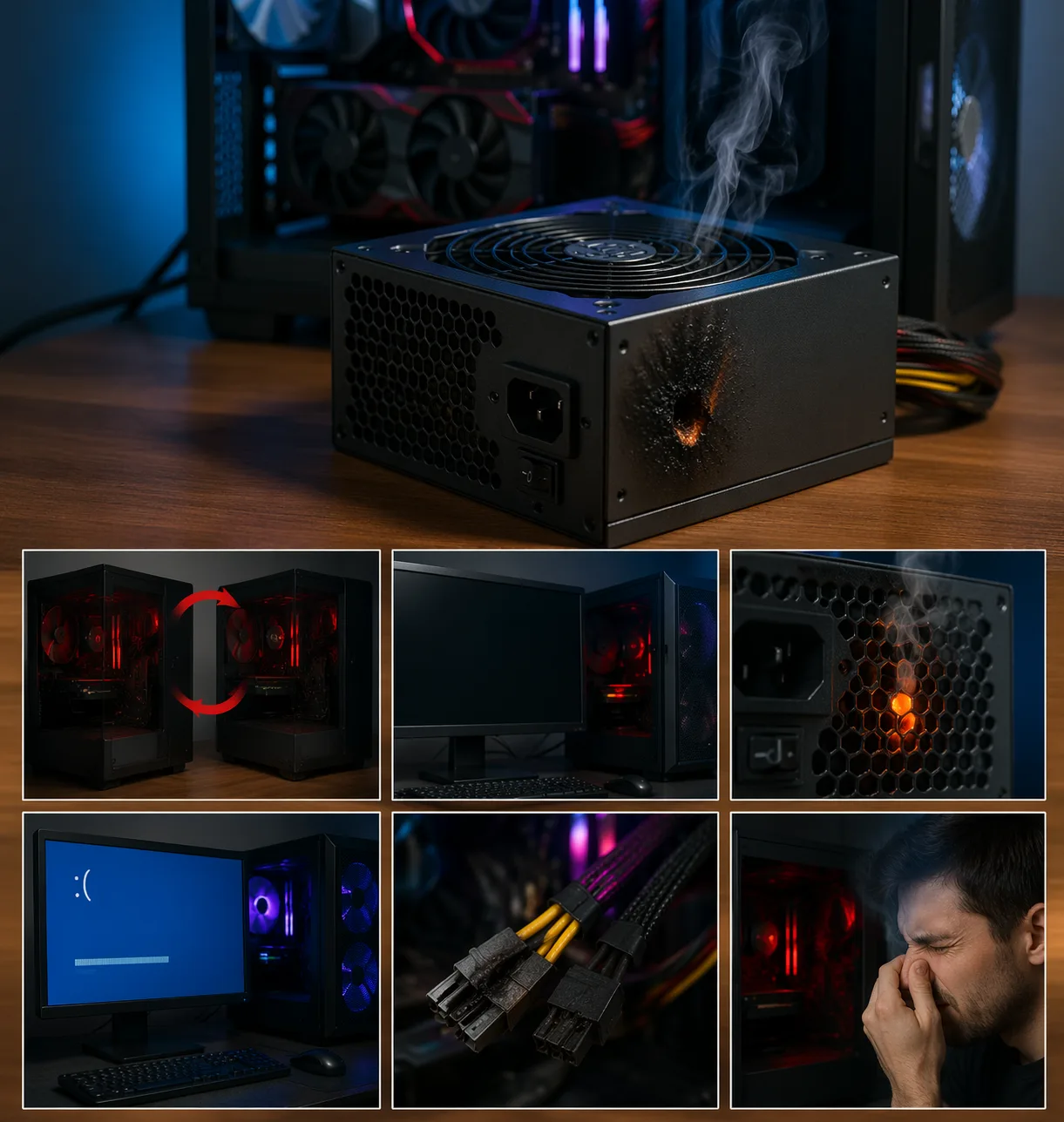
What Are PSU Failure Symptoms
PSU failure symptoms refer to the warning signs that your power supply unit (PSU) is no longer delivering stable or sufficient power to your PC.
The PSU is one of the most critical components. If it starts failing, it can cause:
- random restarts
- system instability
- failure to boot
- hardware damage in extreme cases
Unlike other components, PSU problems are often misdiagnosed, because the system may still power on partially.
P0254 Code – Injection Pump Fuel Metering Control Intermittent
Why PSU Failure Is Dangerous
A failing PSU can:
- deliver unstable voltage
- damage motherboard, CPU, or GPU
- cause sudden shutdowns
Even if your PC turns on, it does NOT mean the PSU is working correctly.
Most Common PSU Failure Symptoms
1. Random Restarts
One of the clearest signs.
- happens under load (gaming, stress)
- system reboots without warning
2. PC Turns On Then Off
The system:
- starts briefly
- shuts down instantly
Often confused with CPU or motherboard issues.
3. No Power at All
- no lights
- no fans
- completely dead system
This usually indicates a fully failed PSU.
4. System Freezes or Crashes
Unstable voltage can cause:
- random freezes
- crashes without BSOD
5. Burning Smell or Noise
Serious warning signs:
- electrical burning smell
- buzzing or clicking sounds
Turn off system immediately.
P0253 Code – Injection Pump Fuel Metering Control High Input
6. GPU or CPU Not Receiving Power
Symptoms:
- no display
- GPU fans not spinning
- system partially working
7. Blue Screen or Instability Under Load
Although less common:
- PSU instability can trigger system errors
Less Obvious Signs
- PC works fine in idle but crashes in games
- system becomes unstable after upgrades
- inconsistent boot behavior
Common Causes of PSU Failure
1. Low-Quality PSU
Cheap PSUs:
- lack protection circuits
- degrade faster
2. Age and Wear
Over time:
- capacitors degrade
- efficiency drops
3. Power Surges
Voltage spikes can damage internal components.
4. Overloading PSU
If PSU wattage is too low:
- system becomes unstable under load
5. Poor Cooling
Overheating PSU:
- reduces lifespan
- increases failure risk
How to Diagnose PSU Problems
Step 1: Observe Behavior
Look for:
- restarts under load
- shutdowns
- instability
Step 2: Check Power Connections
- ensure cables are secure
- verify CPU and GPU connectors
Step 3: Test With Another PSU
The most reliable method.
Step 4: Remove High Load Components
Test system with:
- minimal hardware
Step 5: Listen and Smell
- unusual noise
- burning smell
How to Fix PSU Issues
- replace PSU with quality unit
- ensure correct wattage
- use certified PSU (80+ Bronze or higher)
In most cases:
👉 replacement is the only real solution
PSUs are not meant to be repaired.
Signs You Must Replace PSU Immediately
- burning smell
- random shutdowns increasing
- system unstable after upgrades
- visible damage
What NOT to Do
Avoid:
- continuing to use faulty PSU
- buying cheap replacement
- ignoring early symptoms
- opening PSU (dangerous)
Conclusion
PSU failure symptoms should never be ignored. A failing power supply can damage your entire system.
Early detection helps:
- prevent hardware damage
- maintain system stability
- avoid costly repairs
✍️ Author: Bejenaru Alexandru Ionut – [email protected]
🔗 Internal link: https://diagnozabam.ro/sfaturi

Recommendation: Looking for a professional bi-directional diagnostic tool with full system coverage? Use code DIAGNOZABAM for 10% off.
Transparency note: Affiliate link. Purchasing through it costs you nothing extra. View Thinkcar Deal →