
DNS_PROBE_FINISHED_NXDOMAIN – What It Means and How to Fix It
The DNS_PROBE_FINISHED_NXDOMAIN error is one of the most common issues encountered in web browsers, especially in Google Chrome. It appears when the system fails to resolve a domain name into an IP address.
In simple terms, the internet cannot locate the requested website.
What Does NXDOMAIN Mean
NXDOMAIN stands for:
Non-Existent Domain
This response is returned by a DNS server when the requested domain cannot be found or does not exist.
Common Causes of DNS_PROBE_FINISHED_NXDOMAIN
1. Incorrect DNS configuration (most common)
- Router using internal DNS (e.g., 192.168.x.x)
- Missing secondary DNS
- Unstable ISP DNS servers
2. Corrupted DNS cache
- Cached invalid entries
- Often occurs after network changes
3. Router-related issues
- Firmware bugs
- DNS cache problems
- Incorrect DHCP configuration
4. ISP-related DNS problems
- DNS servers unavailable
- Slow or incorrect responses
5. Non-existent domain
- The website does not exist
- The domain is offline or expired
How to Fix DNS_PROBE_FINISHED_NXDOMAIN
1. Change DNS servers (most effective)
Use reliable public DNS servers:
1.0.0.1
or
8.8.4.4
2. Flush DNS cache (Windows)
Open Command Prompt and run:
3. Restart the router
- Power off the router for 1 minute
- Turn it back on
4. Set DNS directly in the router (recommended)
For TP-Link routers:
Advanced → Network → DHCP Server
Set:
Secondary DNS: 1.0.0.1
5. Check if the website is online
Use tools such as:
https://downforeveryoneorjustme.com
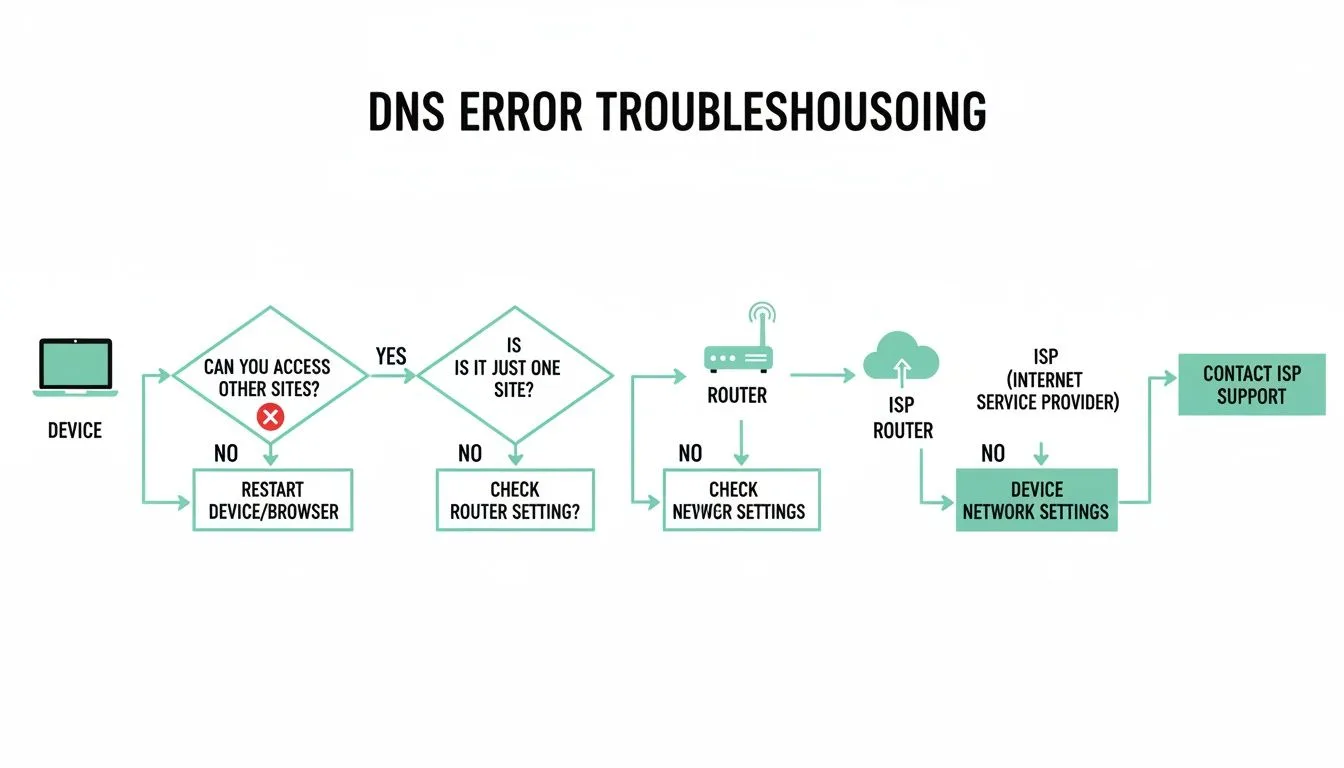
How to Identify If the Problem Is Local
- If other websites work, the issue may be domain-specific
- If no websites load, DNS or internet connection is likely the cause
- If only one website fails, the domain itself may be down
SEO and Website Impact
This error can negatively affect:
- search engine crawling
- indexing reliability
- user accessibility
An unstable DNS configuration may cause a website to appear offline even when it is functioning correctly.
Common Mistake
Many users leave the default configuration:
Secondary DNS: 0.0.0.0
This setup often leads directly to NXDOMAIN errors.
Conclusion
The DNS_PROBE_FINISHED_NXDOMAIN error is usually not critical, but it can become persistent if the DNS configuration is incorrect. In most cases, switching to reliable public DNS servers resolves the issue immediately.
FAQ
Why does DNS_PROBE_FINISHED_NXDOMAIN appear?
Because the DNS server cannot resolve the requested domain.
Is this an internet issue?
Sometimes, but most often it is a DNS configuration problem.
What is the fastest fix?
Changing DNS servers to 1.1.1.1.
✍️ Author: Bejenaru Alexandru Ionut – [email protected]
🔗 Internal link: https://diagnozabam.ro/sfaturi

Recommendation: Looking for a professional bi-directional diagnostic tool with full system coverage? Use code DIAGNOZABAM for 10% off.
Transparency note: Affiliate link. Purchasing through it costs you nothing extra. View Thinkcar Deal →