alarma h diagnoza bamalarma h diagnoza bam

Opel Astra H Ghost Alarm: Why Your Remote Fails and How to Fix It

The remote works when it feels like it. Central locking acts up. The dashboard shows errors for no clear reason. You start with the battery, then the key, then the body control modules.

On many Astra H models from 2004–2010, the cause is simpler. The alarm is switched on in software, but no alarm is installed. No siren. No sensors. Nothing.

Here is how to recognize the problem. And how to switch it off in a few minutes.


What is the “ghost alarm”?

On the Astra H, the alarm is switched on and off from the onboard display menu. The display is called GID or CID, depending on the version.

The option appears in the menu even if the car has no alarm fitted. If it is ticked, the system believes an alarm exists. It starts looking for it.

That is the ghost alarm. Nothing sounds. Nothing flashes. It is only an active setting for hardware that isn’t there.


Why it breaks other functions

The REC module controls the rear electronics. It handles functions such as central locking and the rear lights. It talks to the other modules over the data bus.

With the alarm active in software, the REC waits for an answer from the siren. The answer never comes.

The module doesn’t know the hardware is missing. It only knows something doesn’t match. For safety, it limits features.

ℹ️ Technical Note: Anti-theft systems are designed to be cautious. When something doesn’t match, they restrict functions instead of leaving them open. For body electronics, that is a basic rule.


Symptoms of the ghost alarm

Symptoms vary from car to car. The most common are:

  • The remote works inconsistently.
  • Central locking doesn’t respond, or responds late.
  • The REC module enters protective mode.
  • Random errors appear on the dashboard.
  • The dashboard reacts slowly after ignition on.
  • The ignition system behaves strangely.

None of these is proof on its own. A weak battery or an oxidized contact can cause all of them. But if you have several at once, check the alarm setting before you replace parts.


Why it worked before

This is where most of the confusion starts. The car ran for months or years without trouble. Then the symptoms appeared.

The system doesn’t check for the alarm module right away. The check runs after certain events. The most common is a reset after the battery was disconnected. It can also be a communication problem between modules.

After that event, the car starts looking for the siren. It can’t find it. It disables important functions as a safety measure.

That explains the timing. Nothing broke. A delayed check finally ran.

The most common triggers are:

  • Replacing or disconnecting the battery.
  • A weak battery that dropped in voltage during cranking.
  • A module that was replaced or reprogrammed.
  • Work on the electrical system.

How to check whether you have a real alarm

Before you disable anything, make sure the car really has no alarm. Disabling a real alarm leaves the car unprotected.

Look for these signs:

  • The siren: a small unit, usually in the engine bay or under the dash.
  • The hood contact: a small switch under the hood.
  • The interior sensor: a small unit near the rear-view mirror or in the roof lining.
  • The alarm LED: a light that blinks on the dash when the car is locked.

If you find none of them, the car has no alarm fitted. Check the car’s documents and factory equipment list too.

If you have doubts, don’t disable anything. Ask a workshop or an auto electrician first.


The fix: switch off the alarm from the display

If the car has no real alarm, the fix is simple. You disable the software option in the menu.

The steps are:

  1. Turn the ignition ON (engine OFF).
  2. Press the “Settings” button on the console or radio.
  3. Go to “Vehicle settings”, then “Alarm system”.
  4. Untick or disable “Alarm active”.

ℹ️ Technical Note: Option names differ between display versions. On some cars the menu is worded differently. Look for any option related to the alarm or the anti-theft system.

If the option is already disabled, don’t switch it back on. Move on to the other causes below.


The battery reset: why it matters

After you disable the alarm, disconnect the battery for 5 minutes. Then reconnect it.

The wait has a purpose. The modules clear their temporary memory. On reconnection, the REC starts from scratch. It stops looking for the siren and goes back to normal behavior.

The procedure is simple:

  1. Switch off the engine and remove the key.
  2. Disconnect the negative battery terminal.
  3. Wait 5 minutes.
  4. Reconnect the terminal and start the car.
  5. Test the remote and the central locking.

⚠️ WARNING: After you disconnect the battery, some functions must be relearned. You may need the radio code. The power windows may lose their one-touch function. The clock resets. Check these before you disconnect the battery.


If you can’t find the option in the menu

Some cars don’t show the option. The most common causes are:

  • The display version is different and the menu is organized another way.
  • The setting is hidden by the car’s configuration.
  • The car has a real alarm, and the option is locked.

In that case, don’t force it. Read the car’s configuration with a scan tool. See which modules are declared and which ones respond.


Check the result with a scan tool

After you disable the alarm, check that the errors are gone. Reading the fault codes shows you right away whether any problems remain.

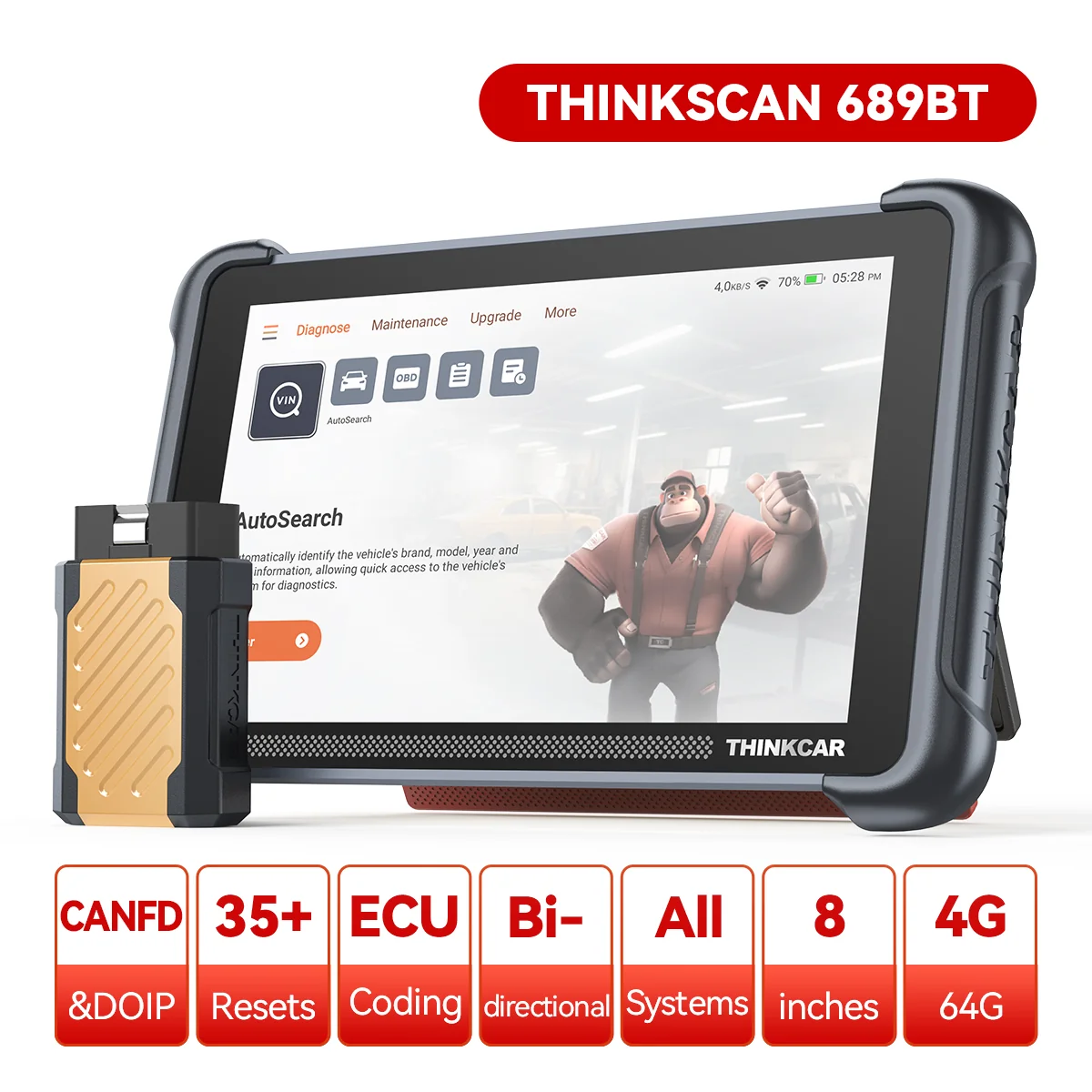
On my own Astra H, I use a THINKCAR THINKSCAN 689BT. I read the codes and watch live data. On the Astra H I have also tested body functions such as the lights and the wipers.

The procedure is simple. Read the codes before the reset. Clear them. Then read them again after a few days of driving. If they come back, the alarm isn’t the cause.


Common mistakes

  • Replacing the remote or its battery without checking the setting. You lose time and money.
  • Disabling a real alarm. Make sure the car has a siren first.
  • Skipping the battery reset. The module can stay in protective mode.
  • Disconnecting the battery for too short a time. Five minutes is a reasonable minimum.
  • Ignoring battery voltage. A weak battery produces the same symptoms.

When it isn’t the alarm

The ghost alarm doesn’t explain everything. If the problem stays after the steps above, look elsewhere:

  • The key battery: a weak one gives the same symptom as the ghost alarm.
  • The car battery: low voltage causes random errors.
  • Oxidized contacts: the connectors in the trunk can be corroded.
  • Fuses: check the body electronics fuses.
  • The REC module: in rare cases, the module itself is faulty.

Always start with the simple causes. Check the battery, then the fuses, then the settings.


Frequently asked questions

Can I disable the ghost alarm without a scan tool?

Yes. You do it directly from the display menu. You don’t need any equipment.

Is it dangerous to disable the alarm?

No, if the car has no alarm fitted. The setting protects nothing. If you have a real alarm, don’t disable it.

Why doesn’t the remote work after I change the key battery?

It can be a sync problem. It can also be the ghost alarm. Check the menu first.

How long does the procedure take?

Disabling the alarm takes a few minutes. The battery reset adds another 5.

Do I need to reset anything after I reconnect the battery?

Possibly. Check the radio, the clock and the power windows. Some functions have to be relearned.


Conclusion

The ghost alarm is one of the cheapest faults to fix. It costs nothing and takes a few minutes.

If the car has no real alarm, switch off the software option right away. You save hours of troubleshooting. The remote and the REC module go back to normal operation.

If the symptoms remain, check the battery, the fuses and the fault codes.

✍️ Author: Bejenaru Alexandru Ionut – [email protected]

🔗 Internal link: https://diagnozabam.ro/sfaturi
🤝 Support DiagnozaBAM

This content is free. Your donation is completely voluntary.

Donate on Ko-fi
Thinkcar ThinkScan 689BT

Recommendation: Looking for a professional bi-directional diagnostic tool with full system coverage? Use code DIAGNOZABAM for 10% off.

Transparency note: Affiliate link. Purchasing through it costs you nothing extra. View Thinkcar Deal →
Updated on 02 Oct 2026

Leave a Reply

This site uses Akismet to reduce spam. Learn how your comment data is processed.