
What Does 5 Beeps on PC Startup Mean
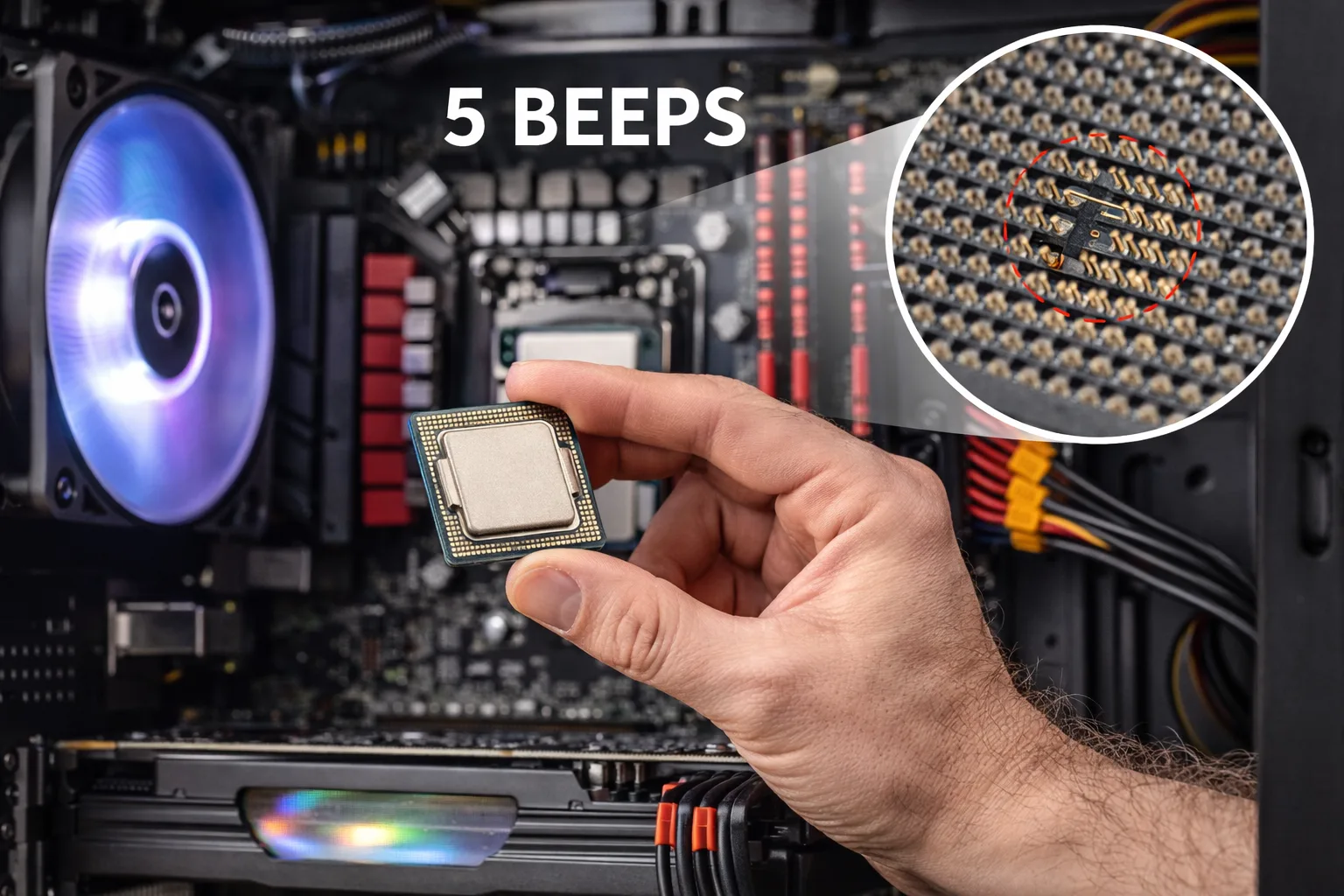
The 5 beeps on PC startup error is a critical hardware warning that usually indicates a CPU-related problem detected during the POST (Power-On Self-Test).
When you power on your system and hear 5 consecutive beeps, it means the motherboard cannot properly initialize the processor or communication between the CPU and other components has failed.
In most systems, this error points to:
- CPU failure or malfunction
- improper CPU installation
- motherboard socket issues
- BIOS incompatibility
- power delivery problems
Unlike RAM errors (3 beeps), CPU-related beep codes are considered more serious and require careful diagnosis.
Why CPU Errors Trigger Beep Codes
During POST, the CPU is the first major component that must initialize. If the processor fails to respond correctly, the system cannot continue booting.
Since no video output is available at this stage, the BIOS uses beep codes to indicate failure.
A CPU error stops:
- memory initialization
- GPU detection
- BIOS screen display
This results in:
- no display
- fans spinning
- repeated beep pattern
Common Causes of 5 Beeps on Startup
1. Improper CPU Installation
One of the most common causes is incorrect CPU mounting.
Possible issues:
- CPU not seated correctly
- socket latch not fully locked
- thermal paste applied incorrectly
- cooler pressure uneven
Even slight misalignment can prevent proper contact.
2. Bent or Damaged CPU Pins
This is extremely common on certain platforms.
Issues include:
- bent pins in Intel socket
- damaged contact pads on AMD CPUs
- debris inside socket
Even one bent pin can block memory channels or power lines.
3. CPU Overheating Protection Trigger
If the CPU overheats instantly due to:
- missing thermal paste
- loose cooler
- dead CPU fan
the system may shut down immediately or trigger beep errors.
4. BIOS Incompatibility
If you installed a newer CPU on an older motherboard, the BIOS may not support it.
Symptoms:
- system powers on
- no display
- beep codes
This is very common when upgrading CPUs without updating BIOS first.
5. Faulty Power Delivery (VRM / PSU)
The CPU requires stable voltage.
Problems may occur due to:
- failing power supply
- damaged motherboard VRM
- loose CPU power connector (4-pin / 8-pin)
Even if fans spin, the CPU may not receive proper power.
6. Motherboard Failure
If all other components are working, the motherboard itself may be defective.
Possible issues:
- damaged CPU socket
- broken traces
- faulty chipset
7. Dead CPU (Rare but Possible)
CPUs rarely fail, but it can happen due to:
- overheating over time
- voltage spikes
- manufacturing defects
Step-by-Step Diagnosis
Step 1: Check CPU Power Cable
- ensure 4-pin or 8-pin CPU cable is connected
- do not confuse it with GPU cable
This is a very common mistake.
Step 2: Reseat the CPU
- remove cooler
- carefully remove CPU
- inspect for damage
- reinstall correctly
Apply fresh thermal paste and remount cooler evenly.
Step 3: Inspect Socket and Pins
Look for:
- bent pins
- dirt or debris
- uneven contact
If pins are slightly bent, they can sometimes be corrected carefully.
Step 4: Clear CMOS
Reset BIOS:
- remove battery
- wait 5–10 minutes
- reinstall
This removes incompatible settings.
Step 5: Test Minimal Setup
Run system with:
- motherboard
- CPU
- 1 RAM stick
Disconnect everything else.
Step 6: Try Another CPU (if possible)
This is the fastest way to confirm CPU failure.
How to Fix 5 Beeps on PC Startup
Depending on diagnosis:
- reinstall CPU correctly
- fix bent pins
- update BIOS (if supported)
- replace power supply
- replace motherboard
- replace CPU
Most commonly, the issue is:
- improper CPU seating
- missing power connection
- BIOS incompatibility
Signs the Problem Is Serious
You may be dealing with major failure if:
- no change after reseating CPU
- no display at all
- no response to CMOS reset
- multiple components tested working
In these cases, motherboard or CPU replacement is likely required.
What NOT to Do
Avoid:
- forcing CPU into socket
- overtightening cooler
- using wrong cables
- updating BIOS blindly without support
- testing without proper grounding
Conclusion
The 5 beeps on PC startup error is typically linked to CPU-related issues and should not be ignored.
While it may seem critical, many cases are caused by:
- installation errors
- power connection issues
- BIOS incompatibility
A structured diagnosis approach can help you quickly determine whether the issue is fixable or requires component replacement.
✍️ Author: Bejenaru Alexandru Ionut – [email protected]

Recommendation: Looking for a professional bi-directional diagnostic tool with full system coverage? Use code DIAGNOZABAM for 10% off.
Transparency note: Affiliate link. Purchasing through it costs you nothing extra. View Thinkcar Deal →